Image, logo or clip
Logos, product screenshots, photos and short clips. Use a transparent PNG for your logo.
PNG, JPG, WebP up to 25 MB · MP4, MOV, WebM up to 300 MB
Motion Studio
An AI motion graphics studio. Describe your video, choose a style, and Editit writes and animates the whole thing, ready to download.
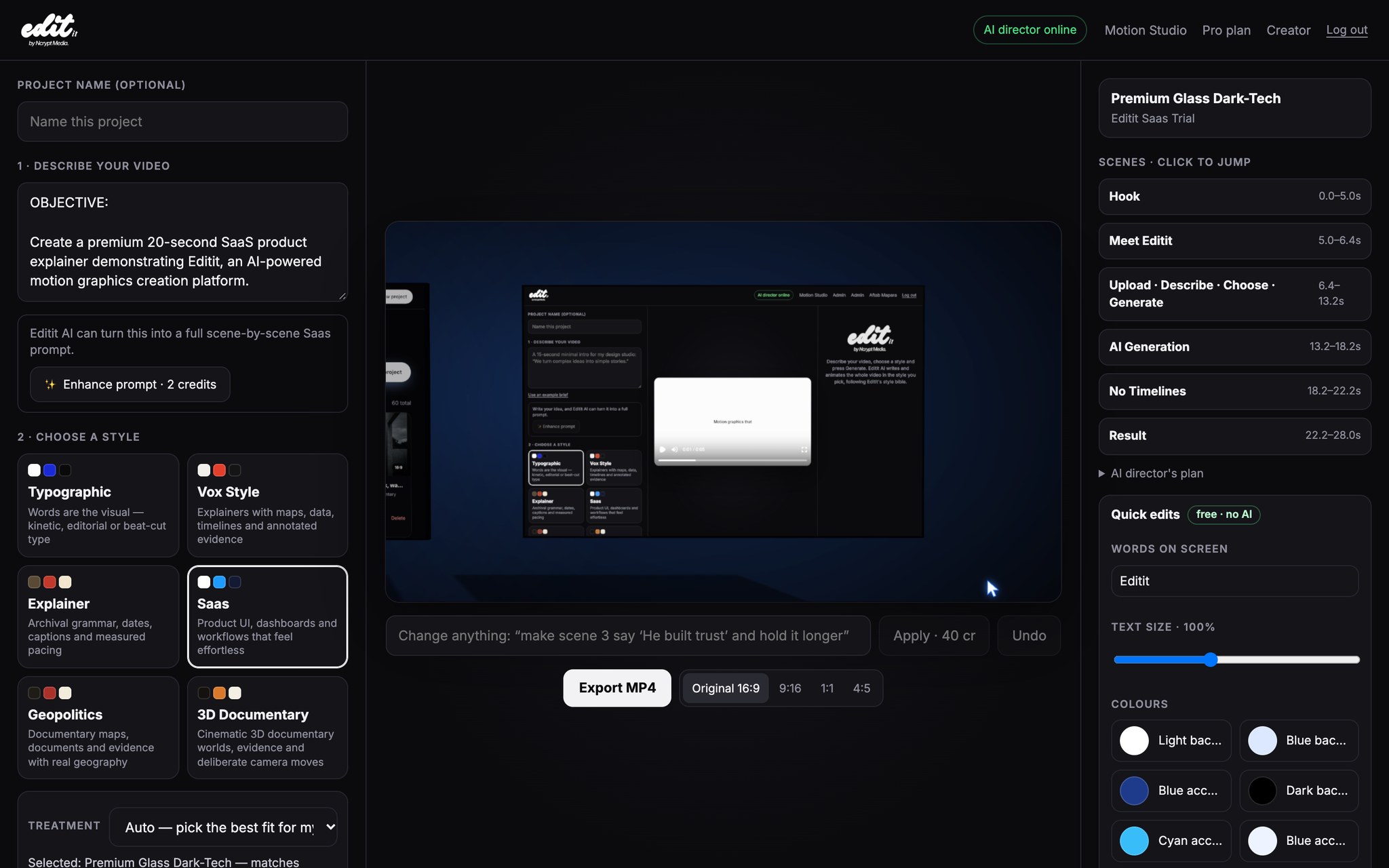
2 · Choose a style
Generating · Planning, animating, checking
How Editit works
You don't need motion design skills or editing software. Every video is designed from scratch to match the style you choose.
Write what the video is about, or let Enhance prompt write a full scene-by-scene brief for you.
Pick one of six styles. Add your logo, photos, voice-over, fonts and colours if you have them.
Editit plans the scenes, animates them and checks the result. This takes a few minutes.
Change anything in plain words, fix text and colours for free, then download a 1080p MP4.
Pick the right style
Every thumbnail here is a real video made in Editit. Pick a style to see what it's best for and what to give it.
Describe your video
Editit follows your brief closely. Write one clear sentence and let Enhance prompt turn it into a scene-by-scene brief for your style.
1 · Describe your video
For a better result, add your logo and a screenshot of the booking screen in step 3.
A launch teaser for small business owners.
Calm and premium.
Start free at editit.in
Assets, voice-over and references
Your logo, screenshots and photos beat anything generic. Editit reads your file names, follows your voice-over word by word and learns from videos you like.
Logos, product screenshots, photos and short clips. Use a transparent PNG for your logo.
PNG, JPG, WebP up to 25 MB · MP4, MOV, WebM up to 300 MBEditit writes down every word, then builds the video line by line to match it. Works in Hindi and Hinglish too.
MP3, WAV, M4A or an MP4 with soundUpload a video you like. Editit copies its structure, rhythm, layouts and transitions. Never its words, logos or footage.
Up to 3 minutes · Auto uses Editit's own referencesBest resultsA clean voice-over plus your logo and 2–4 real screenshots or photos gives the strongest videos.
Editing and exporting
Fix words and colours for free, or ask the AI director for a bigger change. Then export a 1080p MP4 in any shape.
Instant changes in the right panel: words on screen, colours and text size. Try these first for text and colour fixes.
Type a change under the video and press Apply. Only what you ask changes. Undo brings back the version before.
Credits and plans
Monthly credits renew each month. Top-ups of 200, 600 or 2,000 credits never expire and are used after your monthly credits.
What things cost
| Video up to 15 seconds | 75 |
| Video up to 30 seconds | 100 |
| Video up to 60 seconds | 180 |
| AI edit | 40 |
| Enhance prompt | 2 |
| Quick edits and other sizes | Free |
| Failed video or edit | Refunded |
20,000 credits a month for teams making video at scale.
Prices as of November 2026. See editit.in/pricing for current plans.
AI editing for your raw footage. The same plain-words workflow, for the clips already on your phone.
Your first video
From idea to finished video in minutes, not days. Every new account starts with 75 free credits.
Start free